Guide
How to read AI tool pricing before you subscribe
The headline price is the least useful number on an AI pricing page. Here are the five patterns that decide what you actually pay, each with real examples from tools in this index.
Updated · every price here is checked against the vendor's own page
After checking pricing pages for 264 AI tools, the same five patterns keep appearing. None of them are hidden exactly, they are all on the page, but they are placed where you will not weigh them against the number in the big font.
1. A credit is not a unit
The most expensive habit in this category is comparing two products priced at "$12/mo" as if they are comparable. They are not, because a credit means something different at every vendor and sometimes at the same one.
 Leonardo's token cost varies with GPU load, with no published per-model rate table. The same job can cost different amounts on different days.
 Recraft's credits vary sharply by feature. Creative Upscale alone is notably expensive.
 ElevenLabs' credits burn at different rates per model, which is the single most common complaint about its billing.
 Ideogram's priority credits expire monthly with no rollover, so a quiet month is money gone.
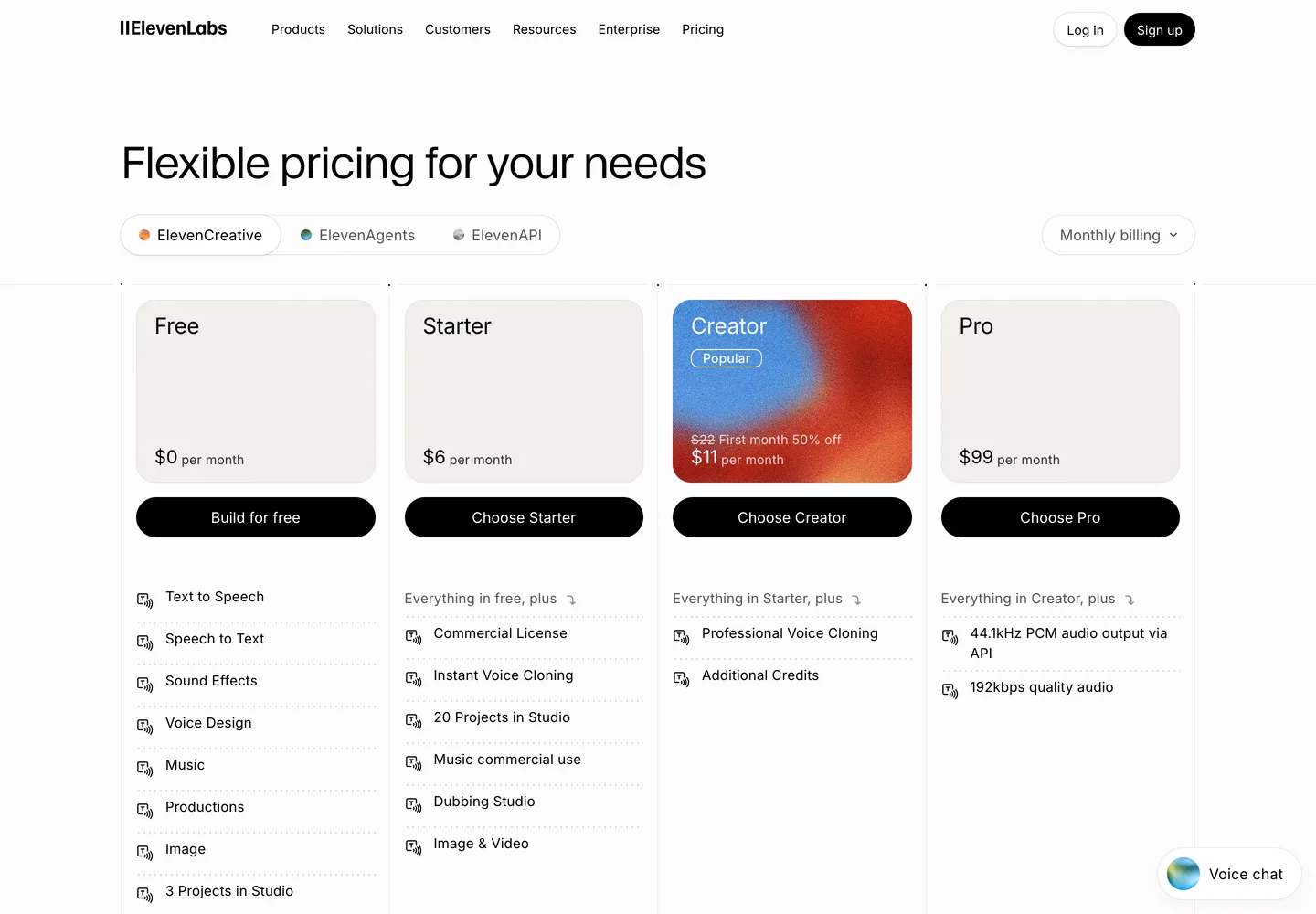
What to do: price one real week of your own work, not a subscription tier. Take the thing you actually make, twenty images, three hours of narration, forty pages of copy, and calculate it at each vendor's stated rate.
2. "Every four weeks" is not monthly
This one is almost exclusively a resume-builder habit, and it is worth naming precisely because the arithmetic is invisible.
 Zety advertises $1.95 for 14 days and then charges $25.95 every four weeks. Four-week cycles produce thirteen charges a year, so that is $337 annually, not $311. Resume Genius runs the same structure at $23.95.
What to do: multiply four-week prices by 13, not 12, and diary the trial's end date the day you start it.
3. Lifetime caps dressed as free tiers
A free tier that resets monthly is a plan. One that never resets is a demo with a longer fuse.
 Fellow gives 5 AI notes and 5 AI recordings per user, lifetime.
  Otter gives 300 minutes a month, but only three file imports, ever.
  Gamma grants 400 AI credits once at signup that never refill.
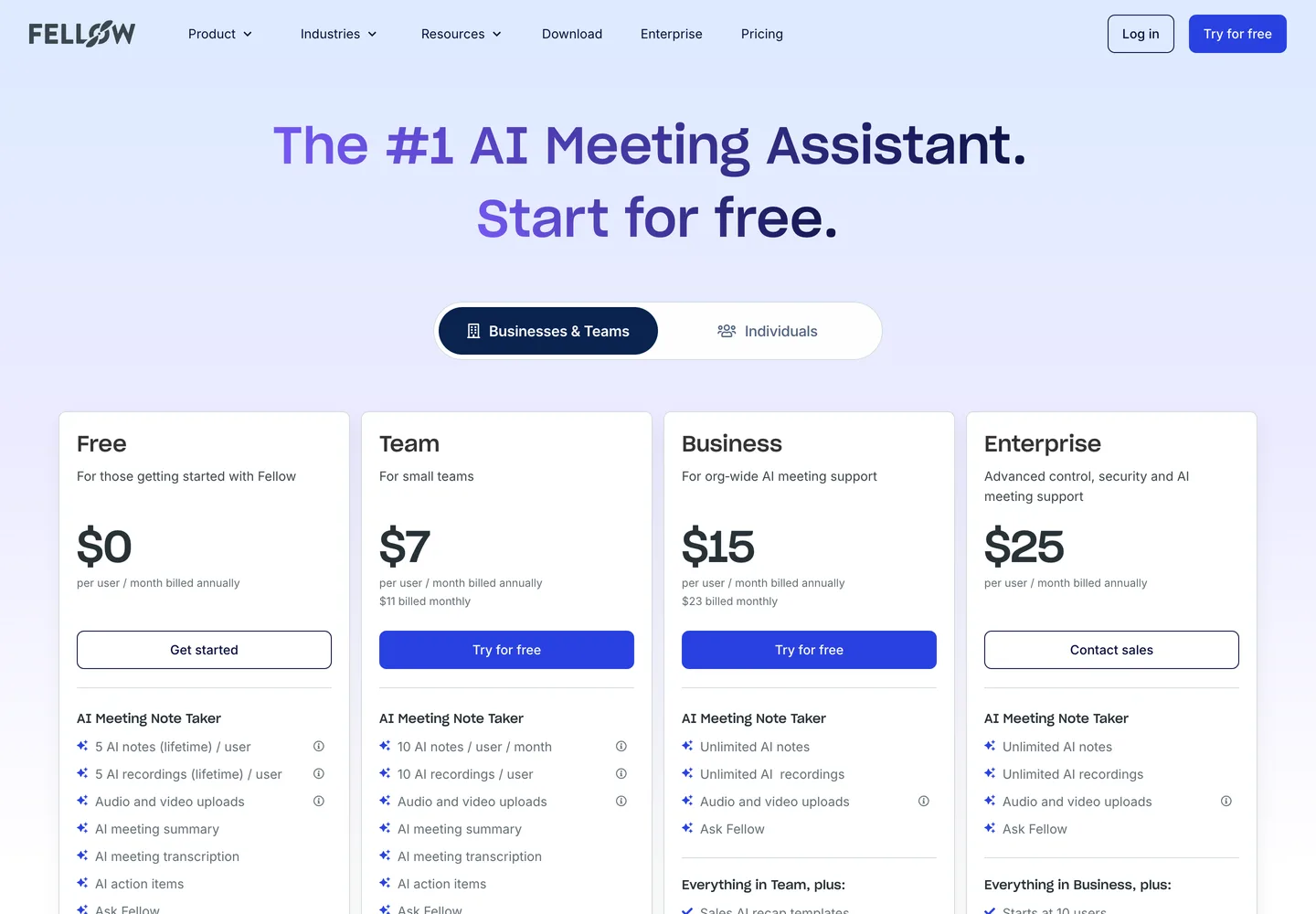
What to do: search the pricing page for the words lifetime, one-time and total. If the allowance carries one of those words, treat the tool as unfree.
4. Free tiers that forbid what you want to do with the output
This is the most common unpleasant surprise in image and voice tools, and it appears in the terms rather than the price table.
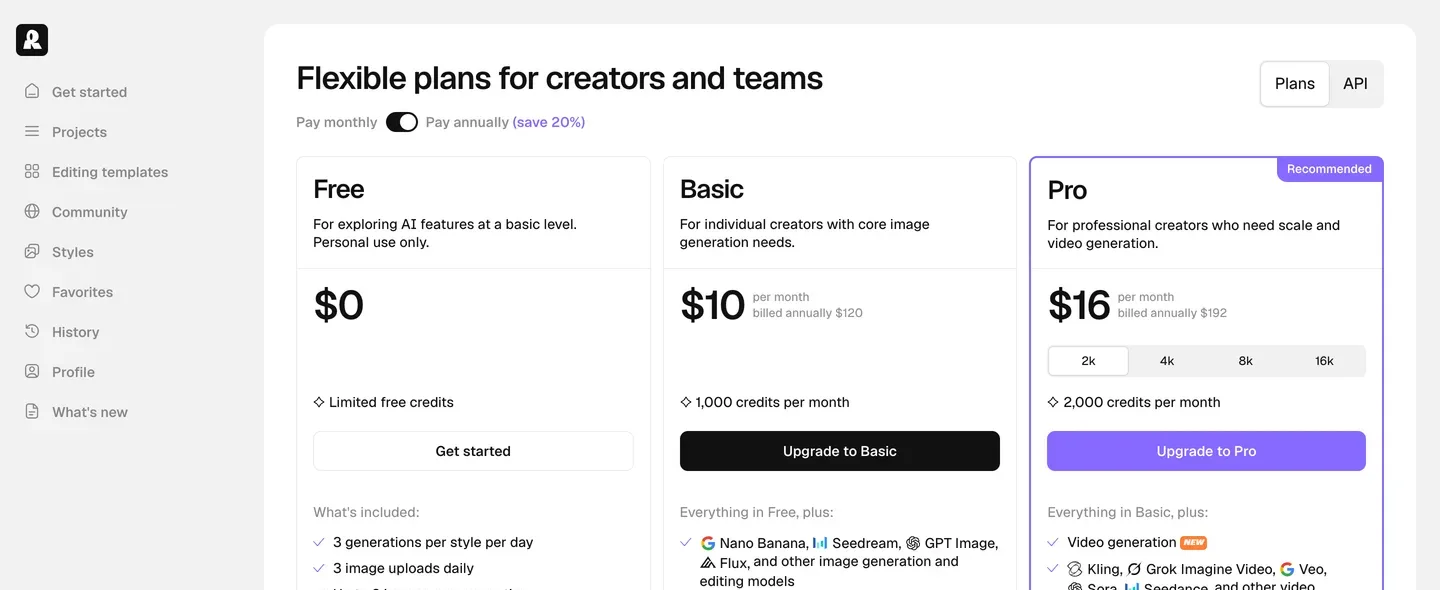
In image generation, Leonardo's free tier is personal use only, Recraft's free output carries no commercial licence and lands in a public gallery, and Ideogram's free generations are public.  Playground is the rare exception that grants a commercial licence free.
In voice, free tiers on ElevenLabs, Cartesia, Hume, Murf and WellSaid all exclude commercial use, and Hume excludes it on lower paid tiers too.
What to do: before producing anything for a client or a monetised channel, find the commercial-use line specifically. "Free" almost always means "free to evaluate".
5. The export you cannot use
A builder that will not give you the file is not finished doing its job.
Several resume tools let you write a complete resume on the free tier and then export TXT only, including Resume.io and Resume Genius.  Enhancv exports with its own branding retained. In presentations, most tools produce a proprietary document, so anything that must land in a colleague's PowerPoint template needs a converter or an add-in.
What to do: check the export format before you invest an hour of writing, not after.
The five questions, in order
- What does one unit of my actual work cost here, not what does the plan cost?
- Is the billing cycle monthly, or four-weekly?
- Does the free allowance reset, or is it a lifetime grant?
- May I use the output commercially on the plan I am on?
- Can I export the result in a format someone else can open?
Every tool page on this site answers 1, 3 and 4 directly, with the date we last checked the vendor's page. Where a vendor does not publish a number, we write not disclosed rather than estimating, and there are more of those than you would expect: Enhancv shows personalised dynamic pricing with no static list price at all.
Questions people ask
- Why do AI tools use credits instead of a flat allowance?
- Because compute costs differ by model and by operation, so a flat allowance would either overcharge light users or lose money on heavy ones. The problem is not credits themselves but unpublished rates. Leonardo's vary with GPU load, and ElevenLabs' vary by model, which makes budgeting guesswork.
- Is a four-week billing cycle legal?
- It is common and disclosed, which is exactly why it works, the disclosure is accurate and the arithmetic is easy to miss. Thirteen four-week periods fit in a year, so a $25.95 charge is $337 annually rather than $311.
- Can I use free-tier AI output commercially?
- Usually not. Across image and voice tools, free tiers overwhelmingly exclude commercial use; Playground AI is a notable exception that includes a commercial licence on its free plan. Always locate that specific line before publishing.
Tools mentioned
Voice cloning and multilingual TTS API with the widest model lineup in the category
- WEB
- API
- MOBILE
Canva-owned AI image platform with fine-tuned model presets, PhotoReal mode, and a real-time canvas.
- WEB
- API
High-volume resume builder with 20,000+ pre-written phrases; billed every 4 weeks.
- WEB
Meeting agendas, AI notes and action-item tracking built around recurring 1:1s and team syncs
- WEB
- DESKTOP
- MOBILE
- PLUGIN
- API
AI generator that produces clean, editable vector graphics (SVG) alongside raster images for brand and UI design.
- WEB
- API
No tools match these filters